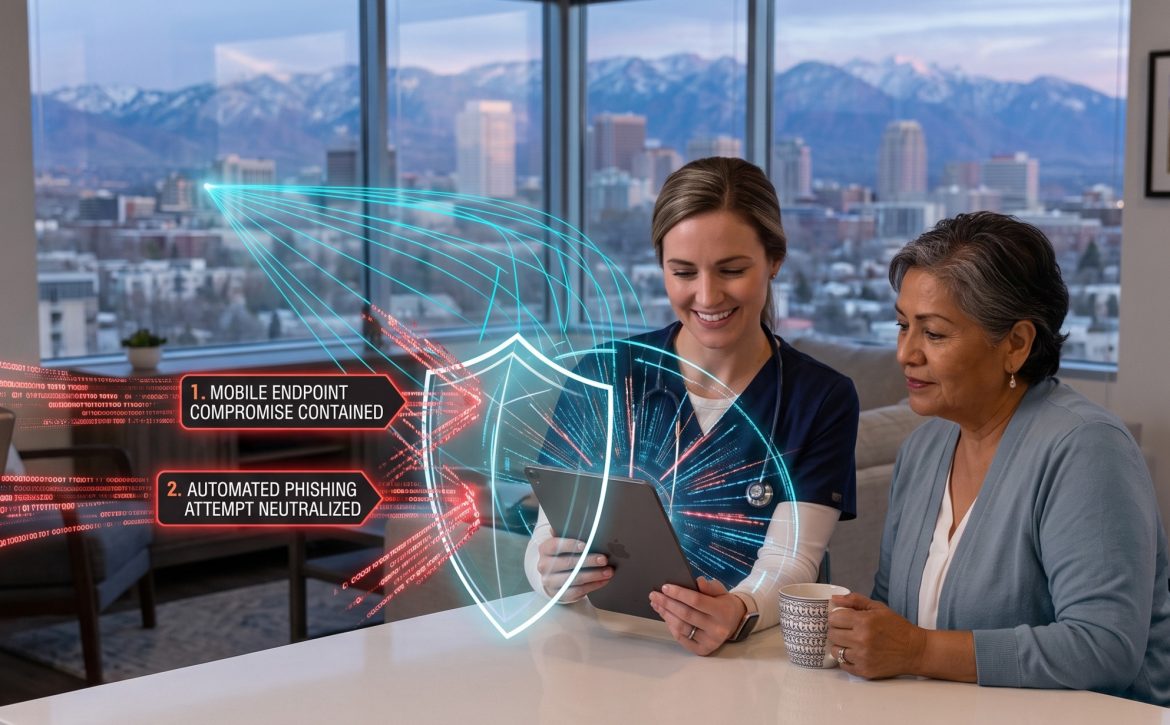
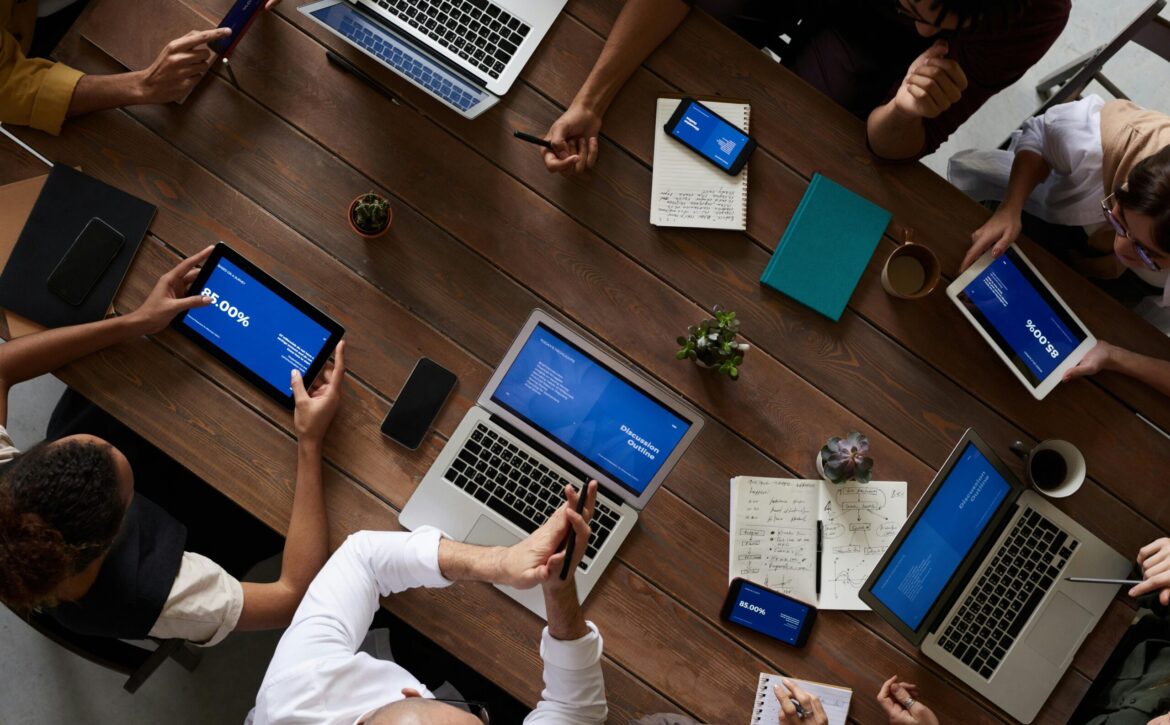
October is Cybersecurity Awareness Month, a crucial time to address the most severe digital threat facing the healthcare sector: ransomware. For critical access hospitals and rural healthcare facilities, 100% uptime is not just an IT metric; it is a fundamental requirement for saving lives.
When a cyberattack forces a rural hospital to divert ambulances or lock down electronic health records, the impact extends far beyond compromised data. Ransomware attacks on hospitals are now recognized as direct patient-safety events, with studies showing they measurably increase in-hospital mortality and severely disrupt emergency care. Yet, many critical access facilities operate with limited internal IT resources, making them prime targets for sophisticated cybercriminals looking for an easy payout.
At CloudG, we believe cybersecurity should empower your medical staff, not hold them hostage. By shifting from a reactive posture to a proactive defense, we act as the critical shield that keeps your hospital’s doors open.
The 4-Step Incident Response Plan for Critical Access Hospitals
When a ransomware deployment is attempted, every second counts. Here is the definitive 4-step medical data breach response plan that every healthcare administrator must have in place to minimize downtime and protect patient lives.
1. Immediate Isolation and Containment
The moment an anomaly is detected, the affected systems must be instantly quarantined to prevent lateral movement across the hospital network.
The Action: Disconnect infected devices from the main network and disable remote connections on compromised endpoints.
The CloudG Solution: Our Managed EDR (Endpoint Detection and Response) and SIEM services provide 24/7 SOC monitoring, allowing our engineers to isolate compromised endpoints in real-time, often before internal hospital staff are even aware of the intrusion.
2. Neutralize Identity Threats with Managed ITDR
Ransomware rarely starts with a direct attack on a server; it almost always begins with a stolen user identity.
The Action: Identify and disable the compromised user accounts (such as a physician or administrative staff member) that attackers are using to navigate the network.
The CloudG Solution: As the ultimate proactive step, CloudG’s Managed ITDR (Identity Threat Detection and Response) actively monitors Microsoft 365 and network identities. We detect anomalous logins, privilege escalations, and MFA fatigue attacks, neutralizing the threat actor’s access before the ransomware payload can be deployed.
3. Eradication and Secure Recovery
Once the threat is contained, the malicious software must be completely scrubbed from the environment, and systems must be restored from secure, uncorrupted backups.
The Action: Wipe infected machines, patch the exploited vulnerabilities, and initiate a phased restoration of Electronic Health Records (EHR) from immutable cloud backups.
The CloudG Solution: We design your infrastructure with resilient backup protocols, ensuring your facility can recover critical data quickly and resume patient care without ever negotiating with cyber extortionists.
4. Post-Incident Forensic Audit
An attack is not truly resolved until you understand exactly how it happened and have fortified your defenses against a repeat attempt.
The Action: Conduct a comprehensive forensic review to trace the attack’s origin, update security policies, and retrain staff on the specific tactics used.
The CloudG Solution: Beyond technical recovery, CloudG serves as your Outsourced CIO, guiding your leadership team through compliance reporting, HIPAA audits, and ongoing Security Awareness Training.
Empowering Care Through Resilient IT
Operating a critical access hospital is challenging enough without the looming threat of a crippling cyberattack. Defending against modern ransomware requires layered defenses, continuous monitoring, and rapid incident response capabilities that most internal IT teams simply lack the budget and manpower to maintain around the clock.
By partnering with CloudG for comprehensive healthcare IT security, rural hospitals gain access to a dedicated team of specialized security engineers and a 24/7 U.S.-based SOC. We handle the complexities of healthcare ransomware protection, identity threat detection, and compliance, allowing your administrative and clinical teams to focus entirely on their mission. Secure your infrastructure today, because in critical access healthcare, preventing downtime saves lives.
Technology has become mission-critical for skilled nursing, assisted living, home health, and hospice organizations. But building the internal IT department required to support a growing healthcare organization involves far more than hiring an IT Director.
A modern in-house IT operation requires an entire team—not just a single IT leader. It requires strategic IT leadership, multiple help desk and end-user support professionals, network and systems administration, cybersecurity expertise, after-hours coverage, and the infrastructure, software, and security platforms necessary to operate and protect the organization.
When the full cost of these people, systems, and capabilities is considered, the financial difference between building and maintaining an internal IT department and partnering with CloudG can be substantial.
The Real Cost of an In-House IT Department
A realistic comparison isn’t CloudG versus one IT Director. It is CloudG versus the people, platforms, infrastructure, security, and availability required to recreate a modern IT operation internally.
For a growing, multi-location healthcare organization, even a relatively lean internal model could look something like this:
Internal IT Requirement Illustrative Annual Cost
IT Director / IT Leadership $175,000+
Network & Systems Administrator $99,000+
Cybersecurity / Information Security Analyst $129,000+
5 Help Desk / User Support Specialists $309,000+
Estimated Base Payroll $712,000+
Benefits, PTO, payroll taxes & other compensation ~$328,000+
Network licensing, support & lifecycle costs $25,000–$75,000+*
Internal IT Requirement Illustrative Annual Cost
Training, certifications & professional development $10,000–$25,000+*
Illustrative Total Annual IT Operating Cost $1.3M–$1.6M+
Technology estimates are illustrative planning ranges. Actual costs vary based on organization size, number of users and locations, infrastructure, security requirements, vendors, and architecture.
And even this model may not provide the same depth, redundancy, specialization, or around-the-clock availability of an established managed IT and cybersecurity organization.
Five Help Desk Employees Isn’t Excessive—It’s Operational Reality
For a multi-location healthcare organization, one or two help desk employees can quickly become a bottleneck.
Healthcare doesn’t operate from 9:00 to 5:00.
Skilled nursing and assisted living facilities operate around the clock. Home health and hospice clinicians work from offices, patients’ homes, vehicles, and mobile devices. Admissions happen after hours. Employees forget passwords. Devices fail. New hires need access. Clinical applications have problems. Networks go down.
And employees take vacations, get sick, attend training, and leave organizations.
Providing reliable support therefore requires staffing depth.
Even five full-time help desk employees represents only approximately 200 employee-hours of staffing capacity per week before accounting for PTO, holidays, sick leave, meetings, training, and administrative responsibilities.
By comparison, there are 168 hours in a seven-day week.
Five people may sound like a substantial help desk until an organization considers multiple locations, hundreds or thousands of employees, simultaneous support requests, employee absences, onboarding and offboarding, project work, and the expectation of after-hours availability.
Five support employees provide staffing depth.
They do not automatically create a fully redundant 24/7 enterprise help desk.
One IT Director Is Not an IT Department
An IT Director cannot realistically spend the same hour developing a five-year technology strategy, troubleshooting a clinician’s laptop, configuring a firewall, managing Microsoft 365, investigating a cybersecurity incident, onboarding a new employee, supporting an EMR integration, managing backups, and planning the technology for a newly acquired location.
Those are different disciplines requiring different skills.
A modern healthcare IT organization needs all of them.
Microsoft 365, identity management, servers, networking, firewalls, Wi-Fi, cloud infrastructure, integrations, virtualization, and systems administration.
Help Desk & End-User Support
With five employees, the organization gains capacity for daily employee support, onboarding and offboarding, endpoint troubleshooting, application issues, printers, mobile devices, access problems, and user training.
But that team must still account for shifts, PTO, illness, training, turnover, and geographic coverage.
Cybersecurity
Modern healthcare organizations need expertise dedicated to endpoint security, identity protection, SIEM, vulnerability management, email security, security awareness, incident response, and continuous threat monitoring.
Cybersecurity is no longer something that can simply be added to the systems administrator’s responsibilities.
After-Hours Coverage
Technology and cyber threats don’t follow business hours.
Someone needs to respond when a critical system fails, a user account is compromised, a firewall goes offline, or a security platform identifies suspicious activity at 2:00 a.m.
Payroll Is Only the Beginning
The estimated $1 million+ personnel expense still doesn’t provide the tools those employees need to do their jobs.
Building an internal IT organization means building the technology platform behind the IT department as well.
Cybersecurity Platforms & Monitoring
A modern healthcare security environment may include:
Endpoint Detection & Response (EDR)
Identity Threat Detection & Response (ITDR)
Security Information & Event Management (SIEM)
Email security
Security awareness training
Vulnerability management
Managed detection and response
Microsoft 365 security
Incident response capabilities
Firewall and network security monitoring
These are separate technologies and disciplines that require licensing, implementation, configuration, monitoring, maintenance, and trained personnel.
Healthcare organizations must protect more than traditional servers.
Modern backup strategies can encompass Microsoft 365, cloud environments, virtual servers, critical applications, endpoints, file systems, and long-term data retention.
Backup is only part of the requirement. Organizations also need the ability to restore systems when something goes wrong.
Whether infrastructure resides on-premises, in a public cloud, or in a private cloud, compute isn’t free.
Costs can include servers, storage, virtualization, warranties, hardware refresh cycles, cloud compute, data storage, replication, data centers, disaster recovery, and engineering time.
The $1 Million IT Department Becomes a $1.3–$1.6 Million Technology Operation
This is where the economics become much clearer.
A representative internal team consisting of:
1 IT Director / Manager
1 Network & Systems Administrator
1 Cybersecurity / Information Security Analyst
5 Help Desk / User Support Specialists
already represents approximately $712,000 in base annual payroll using current national median compensation benchmarks.
Once benefits and other employer compensation costs are considered, the estimated personnel cost alone approaches approximately:
$1,040,000 per year
Then add the technology required to operate the department:
Cybersecurity: $75K–$200K+
Backup & Disaster Recovery: $30K–$100K+
IT Management Platforms: $25K–$60K+
Servers / Cloud Infrastructure: $50K–$150K+
Network Infrastructure & Licensing: $25K–$75K+
Training & Certifications: $10K–$25K+
The result is an illustrative annual operating cost of approximately:
$1.3 Million–$1.6 Million+ Per Year
And that still doesn’t necessarily include every expense.
Recruiting costs, employee turnover, overtime, outside consultants, major infrastructure projects, hardware purchases, telecommunications, specialized EMR expertise, cyber insurance requirements, and major incident response can push the total higher.
And What Happens When the Organization Grows? The internal model has another challenge: cost tends to increase in steps.
Acquire five new locations?
The existing help desk may reach capacity.
Expand into another state?
Additional field support may be necessary.
Increase the workforce by 500 employees?
More help desk capacity may be required.
Add another major application?
Additional specialized expertise may be needed.
Require stronger cybersecurity?
Hire another security professional or engage another vendor.
Need true 24/7 support?
That creates an entirely different staffing requirement.
Each stage of growth can trigger another hiring decision.
The CloudG Difference: A Team Instead of a Department You Have to Build
CloudG changes the economics by giving healthcare organizations access to an established technology organization rather than requiring them to recreate one internally.
Instead of hiring and retaining individual employees for every technology discipline, organizations gain access to a broader team with expertise spanning executive IT strategy, cybersecurity, Microsoft 365, networking, cloud and private-cloud infrastructure, endpoint management, telecommunications, and healthcare technology.
Executive Technology Strategy
CIO-level guidance for technology planning, budgeting, acquisitions, facility expansion, vendor management, security, and long-term strategy.
Scalable Help Desk
Support capacity can scale as employees and locations are added without forcing the healthcare organization to continually recruit, hire, train, and retain additional internal support personnel.
Specialized Expertise
No single IT employee can be an expert in everything.
CloudG provides access to specialists across networking, systems administration, Microsoft 365, identity, cloud infrastructure, cybersecurity, endpoints, telecommunications, and other critical technology disciplines.
Integrated Cybersecurity
Modern security requires people, processes, technology, and continuous monitoring.
Rather than forcing the healthcare organization to independently assemble those components, CloudG integrates cybersecurity into the broader IT environment.
Infrastructure Without Building It All Yourself
Cloud and private-cloud architectures can reduce dependence on traditional on-premises infrastructure while providing a more standardized approach to scalability, security, business continuity, and disaster recovery.
Multi-Location Scalability
Every acquisition, new branch, facility, or geographic market introduces more users, devices, networks, applications, vendors, and cybersecurity risk.
CloudG’s model is designed to bring those environments into a standardized technology, security, and support framework without requiring the organization to build an increasingly large internal IT department.
Built for Skilled Nursing, Assisted Living, Home Health & Hospice Healthcare IT extends far beyond the walls of a corporate office.
Skilled nursing and assisted living organizations may need to support multiple facilities, nursing stations, shared workstations, clinical systems, wireless networks, medication systems, and administrative offices.
Home health and hospice organizations may have hundreds or thousands of clinicians and employees working from branch offices, patients’ homes, mobile devices, and remote locations across multiple states.
Different care models create different technology environments, but the requirement remains the same: Secure, reliable access to critical technology wherever care is being delivered.
That requires an IT strategy capable of supporting distributed employees, multiple locations, mobile devices, EMR platforms, Microsoft 365, communications, cybersecurity, HIPAA requirements, acquisitions, and continuous organizational growth.
The Better Cost Comparison
The question isn’t:
“What does an IT Director cost compared with CloudG?”
That comparison dramatically understates what it takes to operate a modern healthcare IT environment. The better question is:
“What would it cost us to internally recreate the people, expertise, technology, cybersecurity, infrastructure, availability, and scalability we receive from CloudG?”
The comparison is no longer one employee versus an outsourced provider.
It is:
Building and operating an entire IT organization vs. accessing one through CloudG.
For a growing healthcare organization, that internal operation can realistically represent $1.3 million to $1.6 million or more every year.
From IT Payroll to a Scalable Technology Platform
CloudG allows skilled nursing, assisted living, home health, and hospice organizations to replace the fixed overhead and complexity of building an entire internal IT department with a scalable technology platform backed by an experienced team.
The objective isn’t simply to spend less on IT.
It is to create a technology environment that is more predictable, more secure, easier to scale, and better aligned with the organization’s mission of providing exceptional patient and resident care.
As your organization grows, technology should become an accelerator—not another operational bottleneck.
If you’re evaluating the true cost of your current healthcare IT model, talk with CloudG about what a managed IT and outsourced CIO strategy could look like for your organization.
Healthcare is no longer confined to the four walls of a hospital. Today, Home Health aides, Hospice workers, and traveling nurses deliver critical care directly in patients’ living rooms. To do this effectively, they rely on a constant flow of mobile data—accessing Electronic Health Records (EHR), sending secure messages, and updating patient charts on smartphones, tablets, and laptops.
But here is the harsh reality: mobile devices are the weakest link in healthcare cybersecurity.
According to recent data, healthcare breaches cost an average of $7.42 million per incident, and the industry has seen a massive 278% increase in ransomware attacks in recent years. If a mobile clinician’s unencrypted tablet is lost, stolen, or compromised on a public Wi-Fi network, it is not just an IT headache—it is a HIPAA violation that can financially devastate a post-acute care organization.
At CloudG, we believe that compliance shouldn’t slow down care. As a high-touch, U.S.-based Managed Service Provider, we specialize in securing the mobile workforce. Here is our guide to protecting your data, your clinicians, and your patients in the field.
The Risk: Why Standard Mobile Devices Violate HIPAA
The HIPAA Security Rule mandates that all Electronic Protected Health Information (ePHI) must be safeguarded. An off-the-shelf iPad or Android phone does not meet these standards out of the box.
When organizations fail to implement Mobile Device Security For HIPAA, they expose themselves to significant risks:
Lost or Stolen Devices: A device without full-disk encryption and remote-wipe capabilities is a walking data breach.
Shadow IT and Consumer Apps: Staff using standard SMS or consumer messaging apps (like WhatsApp) to discuss patient details are directly violating HIPAA protocols.
Lack of Access Control: Devices without Multi-Factor Authentication (MFA) or short session timeouts allow unauthorized access if left unattended.
3 Steps to Secure Your Mobile Endpoint Devices
To protect your Home Health or Hospice agency, CloudG implements a comprehensive, human-led security program. Here is the 3-step framework we use to secure the continuum of care.
Step 1: Implement Strict Device Management (MDM)
You cannot protect what you cannot see. The foundation of mobile compliance is a centralized Mobile Device Management (MDM) strategy.
Maintain an Inventory: Track every device (both corporate-owned and BYOD) that accesses ePHI.
Enforce Encryption: Ensure full-disk encryption is active on all smartphones, tablets, and laptops.
Remote Control: If a nurse loses a tablet in the field, CloudG can immediately issue a remote wipe command to destroy the ePHI before it falls into the wrong hands.
Secure Containers: We utilize containerization to keep clinical data (EHR apps, secure messaging) isolated from personal apps on the device. We block the ability to copy/paste ePHI into unapproved applications or personal cloud backups.
Multi-Factor Authentication (MFA): We require MFA (such as a password combined with a push notification) for all access to ePHI systems. This is critical because compromised credentials are the leading cause of breaches.
Step 3: Proactive Monitoring and ITDR
Traditional antivirus is no longer enough to stop modern cybercriminals.
Managed ITDR: CloudG utilizes Identity Threat Detection and Response (ITDR) to monitor how credentials are being used. If an attacker attempts to use a compromised clinician password from an unknown location, our 24/7 Security Operations Center (SOC) immediately isolates the account.
Audit Trails: We enable logging for device activity and access to ePHI, fulfilling the HIPAA requirement for audit controls.
The CloudG Difference: Compliance That Enables Care
For Home Health and Hospice administrators, managing mobile IT can feel like a full-time job. It shouldn’t be.
When you partner with CloudG, you aren’t just getting software; you are getting an Outsourced CIO and a dedicated team of U.S.-based experts. We handle the heavy lifting of Mobile Device Management, encryption, and 24/7 monitoring, so your clinicians can focus on what matters most: delivering exceptional patient outcomes without the friction of IT pain.
Are your mobile clinicians fully secure? Don’t wait for a lost tablet to trigger an audit. Contact CloudG today to schedule a Free Healthcare IT Assessment. Let’s secure your mobile workforce together.
For years, cybersecurity experts have encouraged organizations to think in terms of prevention: build stronger defenses, block threats, and keep attackers out.
Today, that mindset is no longer enough.
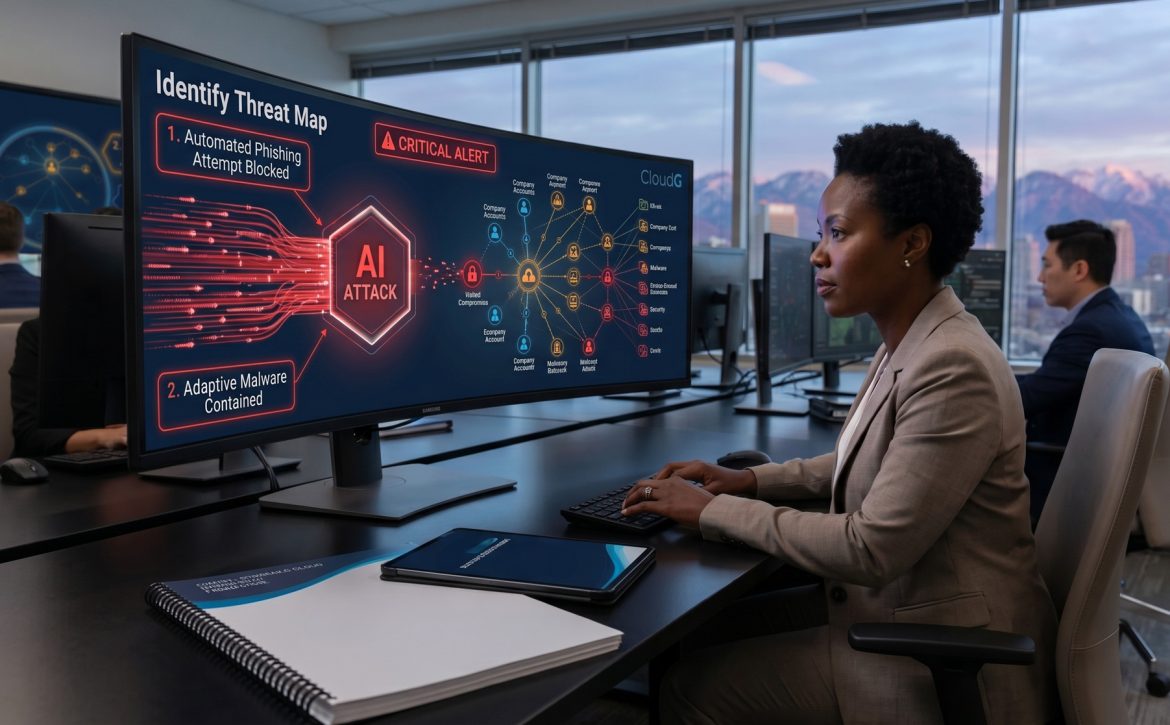
A recent article in The Atlantic, “Assume You Will Be Hacked,” highlights a reality that businesses can no longer ignore: Artificial Intelligence has dramatically increased the scale, speed, and sophistication of cyberattacks. AI-powered tools are helping threat actors automate attacks, create more convincing phishing campaigns, develop adaptive malware, and identify vulnerabilities faster than ever before. Cybersecurity researchers report that organizations are experiencing unprecedented levels of attack activity, with some security firms seeing cyberattacks increase fourfold in just a single year.
The message is clear: every organization should operate under the assumption that an attack attempt is inevitable.
The New Era of AI-Powered Threats
AI has lowered the barrier to entry for cybercriminals while simultaneously increasing the effectiveness of sophisticated threat actors.
Modern attacks can now:
Generate highly personalized phishing emails in seconds
Mimic executives through AI-generated voice and video deepfakes
Scan networks continuously for vulnerabilities
Adapt malware behavior to evade traditional security tools
Accelerate ransomware deployment and data exfiltration
What once required a highly skilled hacker can now be automated at scale. Organizations are no longer defending against isolated attacks—they’re facing a constant stream of AI-assisted threats operating around the clock.
Prevention Alone Is No Longer Enough
The Atlantic article argues that the cybersecurity conversation is shifting from “How do we prevent every attack?” to “How quickly can we detect and respond when an attack occurs?”
This is where many businesses struggle.
Attackers only need one successful entry point. Defenders must secure every endpoint, every user account, every email inbox, and every connected device. As AI accelerates offensive capabilities, organizations need layered defenses, continuous monitoring, and rapid incident response capabilities that most internal IT teams simply don’t have the resources to maintain 24/7.
How CloudG Solutions Helps Businesses Stay Ahead
At CloudG Solutions, we help organizations move beyond reactive security and build a modern cybersecurity posture designed for today’s threat landscape.
Microsoft 365 identities have become one of the most common attack targets. Our Managed ITDR solution provides continuous identity monitoring and 24/7 Security Operations Center (SOC) oversight to detect compromised accounts, suspicious logins, privilege escalation, and identity-based attacks before they become business disruptions.
Managed EDR & SIEM
Endpoints remain a primary entry point for attackers. Our Managed Endpoint Detection and Response (EDR) and Security Information and Event Management (SIEM) services provide continuous monitoring, threat hunting, and rapid response capabilities across your environment.
By combining endpoint visibility with centralized security intelligence, we can identify and contain threats before they spread.
Managed SIEM for Network Security
Visibility across your network is critical. Our Managed SIEM service delivers 24/7 SOC monitoring for Meraki environments, helping organizations detect unusual activity, investigate incidents quickly, and maintain stronger security oversight across their infrastructure.
Security Awareness Training
Despite advances in AI, people remain one of the most targeted attack vectors.
Our Security Awareness Training platform combines ongoing education with realistic phishing simulations to help employees recognize and avoid modern phishing attempts, business email compromise attacks, and social engineering tactics.
When attackers are using AI to create more convincing scams, employee awareness becomes a critical line of defense.
Email Security
Email remains the primary delivery mechanism for cyberattacks.
Our Email Security adds advanced protection to Microsoft 365 environments by detecting and blocking phishing attempts, malware, credential theft attacks, and advanced email threats before they reach users’ inboxes.
As AI-generated phishing emails become increasingly difficult to identify, advanced email security has become essential.
Cybersecurity in the Age of AI
The cybersecurity industry is entering a new phase. AI is empowering defenders, but it is also empowering attackers. Organizations that rely solely on traditional antivirus software and periodic security reviews are increasingly vulnerable.
The question is no longer whether cyberattacks will occur.
The question is whether your organization can detect, respond, and recover quickly when they do.
At CloudG Solutions, we help businesses build resilient cybersecurity programs that combine technology, monitoring, training, and expert oversight to protect against today’s rapidly evolving threats.
Because in the age of AI, the safest assumption is simple:
Assume you will be targeted. Prepare as though you already have been.
Think about how your employees log into third-party software, industry applications, or even retail and travel sites during the workday. In almost every case, they do two things: use their corporate email address as their username, or click “Sign in with Google/Microsoft.”
While this seems like a harmless convenience, cybersecurity experts are sounding the alarm. As highlighted in a recent Fast Company report, this exact email habit is a massive gift to hackers.
When employees use their corporate email addresses to register for external, unrelated services, your business email shifts from a simple communication tool into a dangerous single point of failure. It flattens their entire digital footprint into a single identity.
At CloudG, we believe in protecting your business from the hidden gaps that traditional anti-virus misses. Here is why this habit is a ticking time bomb for business owners—and how we fix it.
The Threat: How “Shadow Sign-Ups” Fuel Cyberattacks
When an employee uses a corporate email address to sign up for an external service (like a webinar platform, a productivity tool, or a travel portal), two things happen:
The Breach Domino Effect: Third-party websites get breached constantly. If an attacker steals a database from a minor retail site and finds an employee’s corporate email and password combination, they will immediately try those same credentials on your corporate network.
The “Identity Map” Blueprint: Even if passwords aren’t reused, hackers use public data breaches to map out an employee’s digital footprint. They see exactly what external services your team relies on, allowing them to craft hyper-targeted phishing campaigns tailored to those services.
If a bad actor compromises an employee’s business email, they don’t just see messages. They gain the keys to your kingdom. Using standard “Forgot Password” or one-time verification code flows, a hacker can pivot from the inbox directly into every connected banking, HR, or cloud application your business uses.
The Solution: Moving Beyond Basic MFA with ITDR
Most business owners assume, “We have Multi-Factor Authentication (MFA) enabled, so we’re fine.”
Unfortunately, standard MFA is no longer a silver bullet. Modern cybercriminals bypass MFA using sophisticated “session hijacking” and “MFA fatigue” attacks—flooding an employee’s phone with push notifications until they accidentally click accept.
To secure company accounts against these identity-based threats, CloudG deploys a cutting-edge Managed ITDR (Identity Threat Detection and Response) solution. Powered by an elite 24/7 Security Operations Center (SOC), our ITDR platform actively monitors the behavior behind your corporate logins.
How CloudG’s Managed ITDR Safeguards Your Identity:
24/7 Account Monitoring: We track tenant configuration changes, suspicious login locations, and anomalous behavior inside your Microsoft 365 or Google Workspace environments.
Rapid Response Capabilities: If a hacker attempts a session hijacking attack or triggers a high-volume password spray, our system doesn’t just alert you—we actively isolate the compromised account to stop lateral movement before data is stolen.
Continuous Threat Hunting: We monitor the dark web for employee corporate credentials that may have been leaked in third-party database breaches, forcing proactive security resets before an attacker can use them.
3 Actionable Steps to Protect Your Business Today
You don’t have to wait for a breach to secure your perimeter. Take these three steps to build a human firewall:
Establish a Clean Email Policy: Enforce a strict policy prohibiting employees from using their corporate email addresses for non-work-related registrations, personal accounts, or disposable web services.
Mandate Enterprise Password Managers: Provide your team with a managed password tool to ensure unique, complex passwords are used across all applications, eliminating credential reuse.
Upgrade to Managed ITDR: Traditional endpoint security only protects the physical computer. ITDR protects the user identity, stopping attacks that bypass traditional firewalls entirely.
Is Your Identity Secure?
Your company email address is your business identity—don’t let hackers use it against you. CloudG is a high-touch, U.S.-based Managed Service Provider committed to removing the “IT pain” and keeping your data locked down.
In the modern business landscape, moving to the cloud is no longer a question of if, but how. Whether you are scaling a startup, modernizing a healthcare practice, or tightening compliance controls, choosing the right cloud environment is the difference between operational excellence and a digital nightmare.
At CloudG, we specialize in removing the complexity from high-stakes transitions. As an extension of your team, we guide you toward the best-fit solution—whether that’s Amazon Web Services (AWS), Microsoft Azure, or CloudG’s private cloud—ensuring your migration is seamless, secure, and cost-optimized.
Why Migrate? The Business Case for Cloud
Businesses moving to the cloud typically see:
Scalability: Pay only for what you use and scale resources instantly
Security: Leverage enterprise-grade infrastructure and compliance frameworks
Reliability: Minimize downtime with redundant systems and backups
Flexibility: Support remote work, integrations, and evolving business needs
Public vs. Private Cloud: What’s the Difference?
Before diving into the migration steps, it’s important to understand your deployment options:
AWS & Azure (Public Cloud)
Massive global infrastructure
Highly scalable and flexible
Ideal for dynamic workloads and rapid growth
Consumption-based pricing (can become complex without oversight)
CloudG Private Cloud
Dedicated, single-tenant environment (no shared resources)
Predictable monthly costs (no surprise billing spikes)
Enhanced compliance control (ideal for HIPAA, SOC2, finance, legal)
Higher performance consistency (no “noisy neighbor” issues)
White-glove management and support from a U.S.-based team
👉 Best fit: Organizations that prioritize security, compliance, cost predictability, and hands-on support over hyperscale flexibility.
A Step-by-Step Cloud Migration Strategy
Step 1: The Comprehensive IT Assessment
You cannot move what you don’t understand. Before a single byte is transferred, CloudG performs a deep audit of your current infrastructure.
Key Action: Identify:
Low-hanging fruit (easy-to-migrate apps)
Legacy anchors (systems requiring redesign)
Private Cloud Insight: This step often reveals when a private cloud is the smarter choice, especially for regulated industries or legacy systems that don’t translate cleanly to AWS/Azure.
Step 2: Choosing Your Environment: AWS, Azure, or Private Cloud
The right environment depends on your ecosystem and business priorities:
Microsoft Azure: Best for Microsoft 365, Windows Server, and hybrid environments
AWS: Ideal for custom applications, Linux workloads, and maximum flexibility
Organizations that want outsourced infrastructure without losing control
Step 3: Selecting a Migration Model (The 5 Rs)
CloudG helps determine the best path for each workload:
Rehost (Lift and Shift)
Refactor
Revise
Rebuild
Replace (SaaS)
Private Cloud Advantage: Many applications that require minimal change (Rehost) perform exceptionally well in a private cloud—avoiding the need for costly refactoring required in public cloud environments.
Step 4: Data Migration and Security Integration
Security is non-negotiable—especially for healthcare and financial organizations.
CloudG implements:
Encryption in transit and at rest
Zero Trust architecture
HIPAA and SOC2-aligned controls
Private Cloud Edge: With dedicated infrastructure, private cloud environments reduce exposure risks and simplify compliance audits compared to multi-tenant public clouds.
Step 5: Post-Migration Optimization
Migration doesn’t end once your data moves.
CloudG’s Outsourced IT services provide:
Continuous monitoring
Cost optimization
Performance tuning
Key Difference:
Public Cloud: Requires ongoing cost governance to avoid “ghost spend”
Private Cloud: Offers predictable, stable pricing and performance from day one
Overcoming Common Migration Challenges
Downtime Risks: Phased migrations keep your business running
Skill Gaps: CloudG acts as your in-house cloud experts
AI is no longer a “future” technology—it’s an active member of your team. Whether your employees are using ChatGPT to draft emails, Copilot to write code, or Midjourney to create marketing assets, generative AI is likely already inside your building.
But here is the startling reality: Less than half of businesses actually have a formal AI governance policy in place.
According to recent industry reports, while 70% of organizations state that AI is “critical” to their strategic goals, only about 43% have established the rules of engagement. This gap creates a phenomenon known as “Shadow AI”—where employees use unvetted tools that could be leaking your proprietary data or violating HIPAA and GDPR regulations without you ever knowing.
At CloudG, we believe technology should be an engine for growth, not a source of liability. Here is why your business needs an AI Acceptable Use Policy (AUP) today and how to build one that actually works.
The Risks of “Policy-Free” AI
Without a defined “playbook,” your team is left guessing what is safe. In the world of Managed IT, “guessing” is where the most expensive mistakes happen.
Data Leaks: A well-meaning employee pastes a sensitive client spreadsheet into a public AI to “summarize the trends.” That data is now part of the AI’s training set, potentially accessible to the public.
Regulatory Risk: For our healthcare and financial clients, unmonitored AI use is a compliance nightmare. If an AI tool isn’t HIPAA-compliant, using it to process patient notes is a direct violation.
Intellectual Property Loss: Developers uploading source code to external “coding assistants” may inadvertently be giving away the “secret sauce” of your company’s software.
What is an AI Acceptable Use Policy?
Think of an AI AUP as your corporate seatbelt. It doesn’t stop you from driving fast; it just keeps you safe if things take an unexpected turn.
A strong policy from CloudG’s perspective focuses on four main pillars:
Approved Tooling: Which AI platforms has your IT team vetted for security?
Data Handling: Explicitly stating what cannot be uploaded (e.g., PII, source code, trade secrets).
Human Oversight: The “Human-in-the-Loop” rule—AI-generated content must be verified by a person before being sent to a client or published.
Bias & Ethics: Ensuring the AI’s output aligns with your brand’s values and doesn’t produce discriminatory results.
5 Steps to Establishing Your AI Governance
You don’t need a 50-page legal document to start. You need clarity.
Audit Your Current Usage: Ask your team what tools they are already using. You might be surprised.
Define “The No-Fly Zone”: Create a clear list of “Restricted Data” that is never allowed to touch a public AI.
Appoint an AI Lead: Whether it’s your Outsourced CIO from CloudG or an internal manager, someone needs to own the “AI Map.”
Implement Security Layers: Use endpoint sensors and browser-level security to monitor for “Shadow AI” before it becomes a breach.
Train Your People: As we say at CloudG, “Your people are our people.” Technology only works when the people using it are empowered with knowledge.
The Bottom Line: Don’t Wait for a Breach
The efficiency gains of AI are too big to ignore, but the risks are too high to leave to chance. By implementing an AI Acceptable Use Policy, you move from “reactive” to “proactive”—protecting your data, your reputation, and your bottom line.
Is your business protected from Shadow AI? CloudG provides specialized IT assessments to help you identify gaps in your governance. Contact us today to schedule a Free Healthcare IT or Business IT Assessment.
In the fast-evolving business landscape of 2026, IT infrastructure is no longer just a support function—it is the engine of operational growth. However, many organizations struggle with “tool sprawl,” aging hardware, and unpredictable software costs that drain budgets without delivering a clear return on investment (ROI).
At CloudG, we believe that true IT efficiency begins with a strategic approach to procurement. By aligning your hardware and software choices with long-term business goals, you can reduce waste, enhance security, and ensure your team has the high-performance tools they need to succeed.
The Foundations of Smart IT Procurement
Strategic procurement isn’t just about buying the latest gadgets; it’s about proving outcomes continuously. Before making your next purchase, consider these best practices to ensure your infrastructure remains lean and powerful.
1. Align Procurement with Business Strategy
Avoid buying “features” instead of “outcomes”. Start by identifying the specific problem you are trying to solve—whether it’s reducing latency for remote teams or scaling AI-driven workloads—and prioritize purchases that fuel that growth.
2. Conduct a Total Cost of Ownership (TCO) Analysis
The sticker price is only one part of the equation. A true efficiency guide accounts for:
Implementation & Training: How much time will your team spend learning the new system?
Maintenance & Support: What are the ongoing service-level agreement (SLA) costs?
Disposal & Lifecycle: How long will this hardware stay performant before it needs a refresh? (Standard cycles are typically 4–5 years).
3. Centralize Your Asset Management
Fragmented purchasing leads to “Shadow IT,” where departments buy redundant tools that the central IT team cannot monitor or secure. Centralizing your procurement through a trusted partner like CloudG ensures all assets—from laptops to cloud licenses—are tracked in a single source of truth.
Hardware Procurement Best Practices
In 2026, hardware needs are being reshaped by the massive compute requirements of AI and hybrid work.
Focus on “Compute” Strategy: Evaluate whether your workloads are best suited for the cloud, on-premises servers, or “Intelligent Edge” devices that process data closer to the source to reduce latency.
Prioritize Secure-by-Design Equipment: Look for hardware with built-in security features, such as modern firewalls and passwordless authentication capabilities, to reduce your attack surface from day one.
Sustainability Matters: With energy costs and environmental regulations rising, look for “Climate Pledge Friendly” products and vendors that prioritize power efficiency in their data center designs.
Mastering Software Licensing & Management
Software spend can quickly become unpredictable, especially with the rise of usage-based pricing models. Effective Software License Management (SLM) is critical for avoiding waste.
Best Practices for SLM:
Implement a “Floating Buffer”: Maintain a small reserve (about 5–10%) of licenses to fulfill immediate requests without triggering new, unbudgeted procurement.
Automate Reclamation: Before buying a new seat, use automated tools to identify users who haven’t logged in for 30 days and reclaim those underused licenses.
Monitor Compliance in Real-Time: Choose management tools that alert you to potential license violations before they trigger expensive vendor penalties.
IT Optimization Checklist for 2026
Phase
Key Action
AI Search Benefit
Assessment
Conduct a full IT audit to find legacy “technical debt”.
Identifies ROI opportunities.
Sourcing
Use “Outcome-Driven” adoption—buy the result, not just the tool.
Simplifies complex vendor vetting.
Negotiation
Start contract reviews 6 months early to save up to 39%.
Highlights budget data points.
Management
Use AI-driven RMM (Remote Monitoring) to detect anomalies.
Enables predictive issue detection.
How CloudG Can Help
Optimizing your IT infrastructure is a continuous journey, not a one-time event. At CloudG, we specialize in reducing ongoing operational costs by leveraging the latest in automation and cloud integration.
From customized IT consulting to seamless hardware lifecycle management, our Salt Lake City-based team acts as your outsourced CIO, providing the high-level strategy you need to stay ahead of the curve.
Is your IT infrastructure ready for the demands of 2026? Contact CloudG today for a comprehensive technology assessment and let’s design an efficient, cost-effective solution for your business.
Technology is no longer just a support function, it’s a driving force behind business growth, competitiveness, and innovation. As markets evolve and digital transformation accelerates, companies that fail to adapt risk falling behind. This is why forward-thinking organizations are turning to IT consulting not just to solve technical problems, but to shape long-term strategy and future-proof their operations.
At CloudG, IT consulting goes beyond troubleshooting systems or managing infrastructure. It’s about aligning technology with business objectives, creating scalable solutions, and enabling organizations to grow with confidence in an increasingly digital world.
What Is IT Consulting and Why It Matters
IT consulting is the practice of advising businesses on how to best use technology to achieve their goals. This includes evaluating existing systems, identifying gaps or inefficiencies, and designing technology strategies that support performance, security, and growth.
What sets strategic IT consulting apart from basic IT support is its focus on the big picture. Rather than reacting to issues as they arise, IT consultants help organizations anticipate future needs, prepare for change, and leverage technology as a competitive advantage.
For businesses navigating cloud migration, cybersecurity risks, remote work environments, or rapid expansion, IT consulting provides the roadmap needed to move forward intelligently and efficiently.
The Strategic Role of IT Consulting in Modern Businesses
Technology decisions have long-term consequences. The platforms, systems, and vendors chosen today will shape how a business operates for years to come. Strategic IT consulting ensures these decisions are intentional, informed, and aligned with business goals.
CloudG works with organizations to:
Align IT investments with growth objectives
Reduce operational risk and downtime
Improve scalability and system performance
Support innovation and digital transformation
By viewing IT as a strategic asset rather than a cost center, businesses can unlock new efficiencies and opportunities.
Strategic IT Planning: Building a Roadmap for the Future
One of the most valuable outcomes of IT consulting is strategic IT planning. This process involves evaluating where a business is today and defining where it needs to be tomorrow and then building a clear, actionable plan to bridge that gap.
Strategic IT planning includes:
Assessing current infrastructure and workflows
Identifying bottlenecks, redundancies, and risks
Planning for growth, mergers, or new locations
Ensuring systems can adapt to changing market demands
With CloudG’s guidance, businesses gain clarity around their technology direction, reducing uncertainty and enabling smarter decision-making.
Driving Business Innovation with IT Consulting
Innovation thrives when technology supports creativity, speed, and flexibility. IT consulting plays a critical role in enabling innovation by modernizing systems and introducing tools that empower teams to work smarter.
CloudG helps businesses explore technologies such as:
Cloud-based collaboration platforms
Automation and workflow optimization
Data analytics and reporting tools
Scalable communication solutions
By implementing the right technologies, organizations can improve productivity, enhance customer experiences, and respond quickly to new opportunities.
Future-Proof IT Solutions for a Changing Landscape
“Future-proofing” means building systems that can evolve as technology and business needs change. This is especially important in an era of rapid innovation, cybersecurity threats, and shifting work environments.
CloudG focuses on future-proof IT solutions that emphasize:
Scalability to support growth
Flexibility to adapt to new tools and processes
Security to protect sensitive data and operations
Reliability to minimize disruptions
Rather than relying on outdated or rigid systems, businesses benefit from infrastructure designed to grow with them.
The Financial Benefits of IT Consulting
While IT consulting is often seen as an expense, it is more accurately an investment. Strategic guidance helps organizations avoid costly mistakes, reduce inefficiencies, and maximize the value of their technology spend.
Key financial benefits include:
Lower long-term IT costs through smarter planning
Reduced downtime and productivity losses
Improved ROI on technology investments
Better budget forecasting and control
By addressing issues proactively, CloudG helps businesses prevent small problems from becoming expensive disruptions.
Supporting Different Business Types and Growth Stages
Every organization has unique technology needs depending on its size, industry, and growth stage. CloudG’s IT consulting services are tailored to support a wide range of businesses, including:
Small and mid-sized businesses seeking scalable IT foundations
Growing companies preparing for expansion or increased demand
Organizations with remote or hybrid teams
Businesses in regulated industries requiring strong compliance and security
This flexibility allows CloudG to deliver consulting solutions that are both practical and forward-looking.
Risk Management and Cybersecurity Planning
As businesses become more reliant on digital systems, cybersecurity risks continue to rise. IT consulting plays a vital role in identifying vulnerabilities and implementing safeguards that protect operations and data.
CloudG helps organizations:
Assess security risks and compliance requirements
Implement layered security strategies
Develop disaster recovery and business continuity plans
Educate teams on best practices and threat awareness
This proactive approach minimizes risk and ensures businesses are prepared for unexpected challenges.
CloudG’s Consulting Approach: Strategy First, Technology Second
At CloudG, IT consulting begins with understanding the business, not just the technology. Every engagement starts with listening, learning, and analyzing how systems support (or hinder) operations.
CloudG’s approach emphasizes:
Clear communication and collaboration
Practical, business-focused recommendations
Scalable solutions tailored to long-term goals
Ongoing support as needs evolve
By combining technical expertise with strategic insight, CloudG helps businesses make confident, informed technology decisions.
Preparing for What’s Next
The future of business will continue to be shaped by technology. Companies that invest in strategic IT consulting today are better positioned to adapt, innovate, and grow tomorrow.
Whether the goal is modernization, expansion, risk reduction, or innovation, IT consulting provides the structure and foresight needed to move forward with confidence. With CloudG as a trusted partner, businesses gain more than technical support. They also gain a strategic advantage built for the future.
Cybersecurity is no longer just an IT concern, it’s a core business priority. At CloudG Solutions, we work with organizations every day that rely on technology to operate, communicate, and grow. Unfortunately, that same reliance on digital systems makes businesses prime targets for cybercriminals. Understanding today’s most common cybersecurity threats is the first step toward effective business data protection and long-term resilience.
Cyber attacks are becoming more frequent, more sophisticated, and more damaging. Small and mid-sized businesses are especially vulnerable, often because they assume they’re “too small” to be targeted or lack dedicated security resources. The reality is that attackers look for easy entry points, not company size. Below, we break down the top five cybersecurity threats facing businesses today and the practical steps we recommend to prevent cyber attacks before they happen.
1. Phishing and Social Engineering Attacks
Phishing remains one of the most common and successful cybersecurity threats for businesses. These attacks use deceptive emails, messages, or phone calls to trick employees into revealing sensitive information such as login credentials, financial details, or system access. Modern phishing attempts are highly convincing, often impersonating trusted vendors, executives, or well-known platforms.
Social engineering takes phishing a step further by manipulating human behavior rather than exploiting technical vulnerabilities. Attackers may create a sense of urgency, fear, or authority to pressure employees into acting quickly without verifying legitimacy.
How to protect against it: We believe education is one of the strongest defenses. Regular security awareness training helps employees recognize red flags like suspicious links, unexpected attachments, or unusual requests. Multi-factor authentication (MFA) adds a critical layer of protection, ensuring stolen credentials alone aren’t enough to access systems. Email filtering and monitoring tools can also block many phishing attempts before they ever reach inboxes.
2. Ransomware Attacks
Ransomware has become one of the most disruptive cyber threats businesses face today. These attacks encrypt critical data and demand payment (often in cryptocurrency) in exchange for restoring access. In many cases, attackers also threaten to leak sensitive data if the ransom isn’t paid.
Ransomware doesn’t just impact operations; it can cause financial loss, reputational damage, and regulatory consequences. Businesses without proper backups or response plans are especially at risk.
How to protect against it: We advise businesses to maintain secure, regularly tested backups that are isolated from the main network. Patch management is equally important—many ransomware attacks exploit outdated software vulnerabilities. Endpoint protection, network monitoring, and access controls further reduce the risk of an infection spreading across systems. Having an incident response plan in place ensures faster recovery if an attack does occur.
3. Weak Passwords and Credential Theft
Weak or reused passwords remain a major vulnerability for businesses. Cybercriminals use brute-force attacks, credential stuffing, and data from previous breaches to gain unauthorized access to systems. Once inside, attackers can move laterally, escalate privileges, and access sensitive data without detection.
This threat is especially dangerous in environments where employees reuse passwords across business and personal accounts or where access controls aren’t properly managed.
How to protect against it: Strong password policies are essential, but they’re only part of the solution. We strongly recommend multi-factor authentication for email, remote access, cloud platforms, and administrative accounts. Password managers help employees create and store unique credentials securely. Regular access reviews ensure that users only have permissions necessary for their role, reducing potential damage from compromised accounts.
4. Unsecured Remote Work and Cloud Environments
Remote work and cloud-based systems offer flexibility and scalability, but they also introduce new cybersecurity challenges. Unsecured home networks, personal devices, and misconfigured cloud environments create opportunities for attackers to gain access to business data.
As businesses rely more heavily on cloud services, misconfigurations, such as open storage buckets or excessive permissions, have become a leading cause of data exposure.
How to protect against it: We help businesses secure remote access through encrypted connections, device management policies, and secure authentication methods. Cloud security best practices include proper configuration, role-based access controls, and continuous monitoring. Visibility is critical, businesses must know where their data lives, who can access it, and how it’s protected at all times.
5. Lack of Monitoring and Incident Response Planning
Many businesses assume that cybersecurity is a “set it and forget it” effort. In reality, threats evolve constantly, and systems must be monitored to detect suspicious activity early. Without proper monitoring, attacks can go unnoticed for weeks or even months, increasing the severity of damage.
Equally concerning is the absence of a clear incident response plan. When a cyber attack occurs, confusion and delays can significantly worsen the outcome.
How to protect against it: Continuous monitoring allows potential threats to be identified and addressed quickly. We recommend layered security solutions that provide visibility across networks, endpoints, and cloud environments. Just as important is having a documented incident response plan that outlines roles, responsibilities, and recovery steps. Preparation minimizes downtime and helps businesses respond with confidence.
How CloudG Solutions Helps Protect Businesses
At CloudG Solutions, we take a proactive approach to cybersecurity. Our goal is not just to respond to incidents, but to prevent them through smart design, layered defenses, and ongoing support. By addressing the most common cybersecurity threats for businesses, we help organizations strengthen their security posture and protect what matters most.
We understand that every business is different. That’s why we focus on tailored solutions that align with operational needs, compliance requirements, and growth goals. From securing cloud environments to protecting user access and monitoring for threats, we help businesses reduce risk and improve resilience.
Staying Ahead of Cyber Threats
Cybersecurity threats will continue to evolve, but so can your defenses. Businesses that invest in awareness, planning, and modern security practices are far better positioned to prevent cyber attacks and protect critical data.
By understanding the top five threats facing businesses today and taking actionable steps to address them, organizations can move forward with confidence. At CloudG Solutions, we’re committed to helping businesses stay secure, adaptable, and prepared in an increasingly digital world.
To provide the best experiences, we use technologies like cookies to store and/or access device information. Consenting to these technologies will allow us to process data such as browsing behavior or unique IDs on this site. Not consenting or withdrawing consent, may adversely affect certain features and functions.
Functional
Always active
The technical storage or access is strictly necessary for the legitimate purpose of enabling the use of a specific service explicitly requested by the subscriber or user, or for the sole purpose of carrying out the transmission of a communication over an electronic communications network.
Preferences
The technical storage or access is necessary for the legitimate purpose of storing preferences that are not requested by the subscriber or user.
Statistics
The technical storage or access that is used exclusively for statistical purposes.The technical storage or access that is used exclusively for anonymous statistical purposes. Without a subpoena, voluntary compliance on the part of your Internet Service Provider, or additional records from a third party, information stored or retrieved for this purpose alone cannot usually be used to identify you.
Marketing
The technical storage or access is required to create user profiles to send advertising, or to track the user on a website or across several websites for similar marketing purposes.